

Remove the EdgeAI Model
Steps to delete your local EdgeAI model
If you need to clear the space used by the Dekko Edge AI model stored in your browser, you can clear it in your browser’s data settings.
Edge:
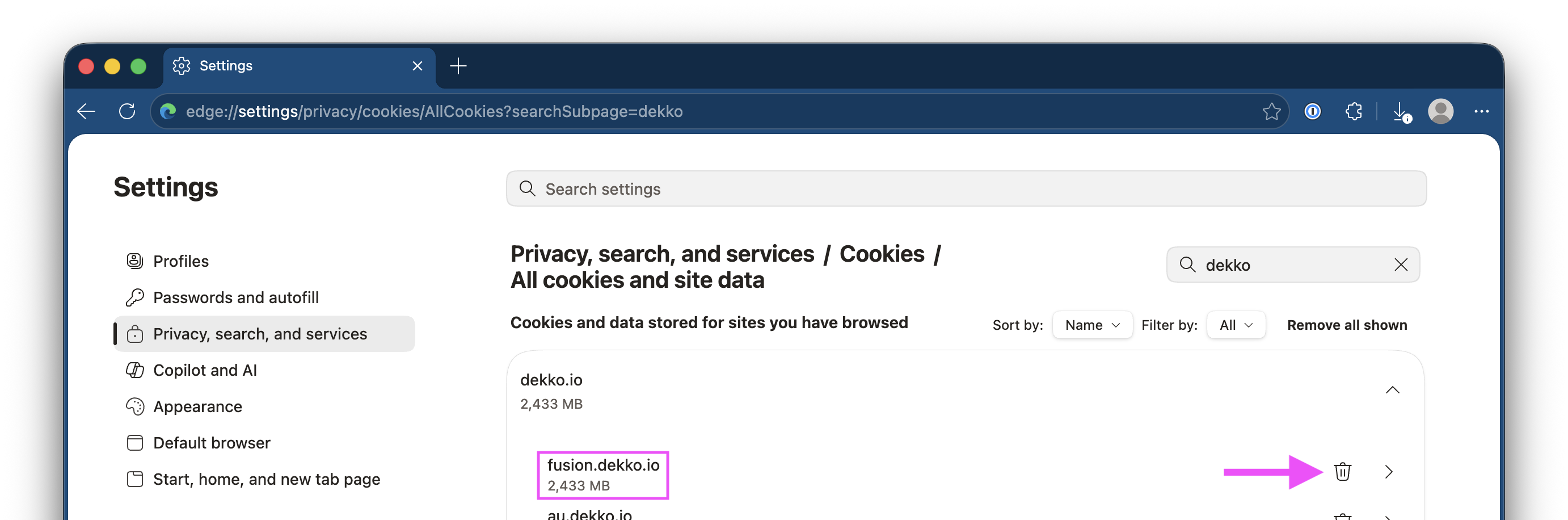
Go to Settings > Privacy, search, and services > Cookies > All cookies and site data - Enter “Dekko” in the filter.
You can also paste this address into your URL bar:
edge://settings/privacy/cookies/AllCookies?searchSubpage=dekko
Locate the Fusion item inside the Dekko site listing and click on the delete button:
Chrome:
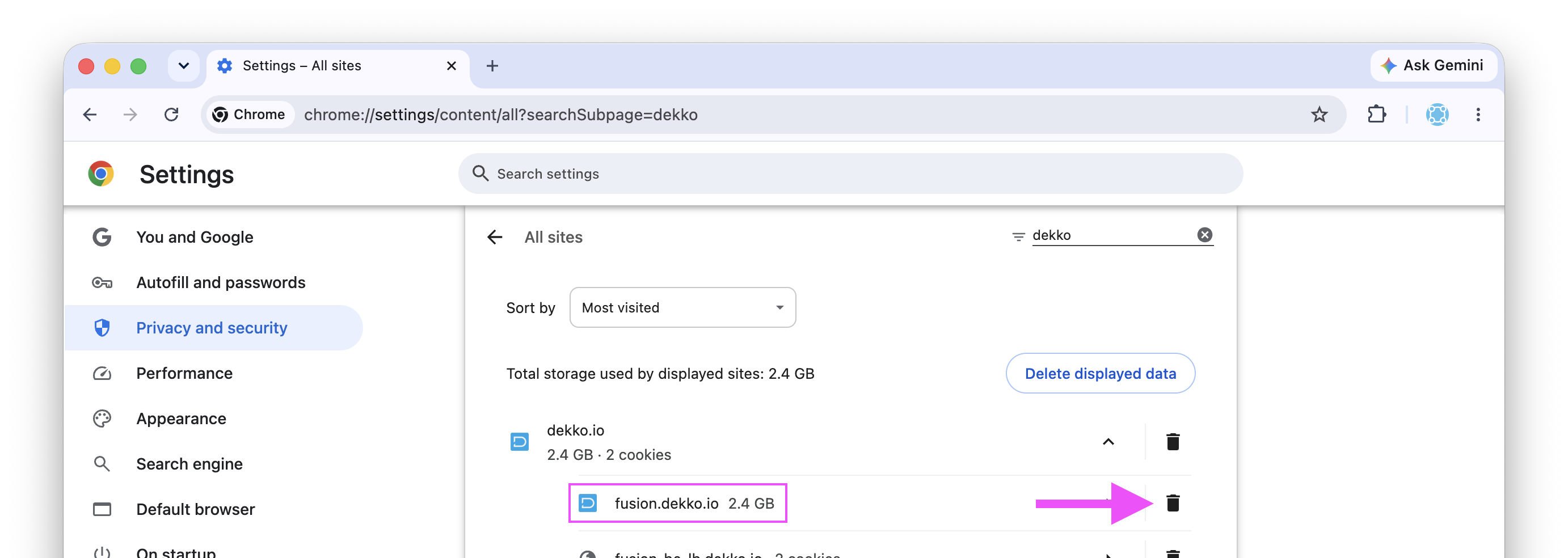
Go to Settings > Privacy and security > Third-party cookies > See all site data and permissions - Enter “Dekko” in the filter.
You can also paste this address into your URL bar:
chrome://settings/content/all?searchSubpage=dekko
Locate the Fusion item inside the Dekko site listing and click on the delete button:
Was this article helpful?
Didn't find what you need?Ask the AI assistant about this topic, or contact support.
Request support