What’s new!?
Recent platform updates, features, and changes.
This page will be periodically updated with information about new features (✨), upgrades (⚡️) and platform status alerts (🏗️).
If you have any questions, please get in contact with us via your DekkoSecure account manager or drop us an email. You can also use this channel for requesting new features or providing feedback on what you see listed on this page.
If you check this page regularly, chances are you’ll get a sneak peek of upcoming features before they’re released! You can also subscribe to updates on our status page for system availability alerts.
July 6th, 2026
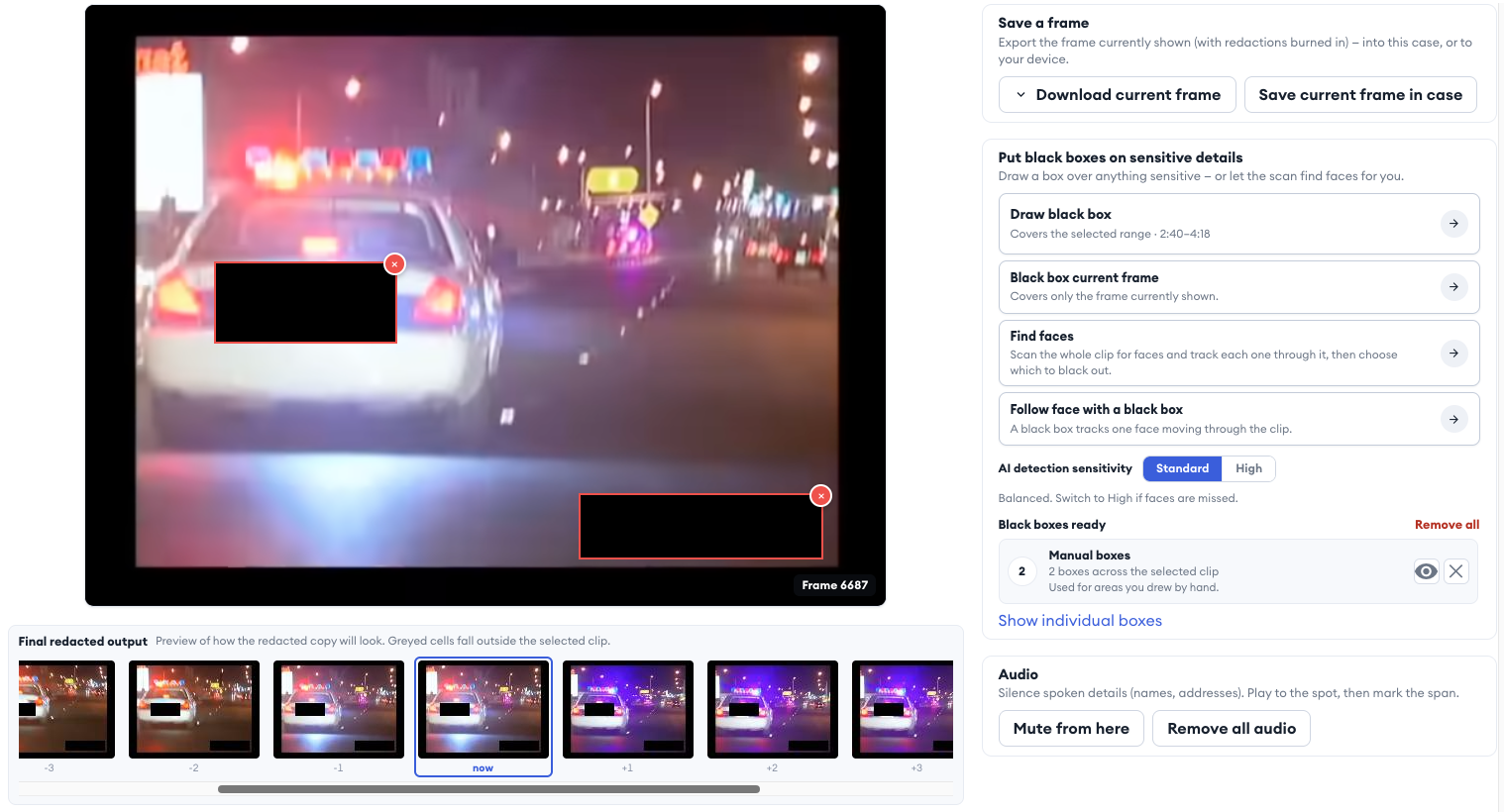
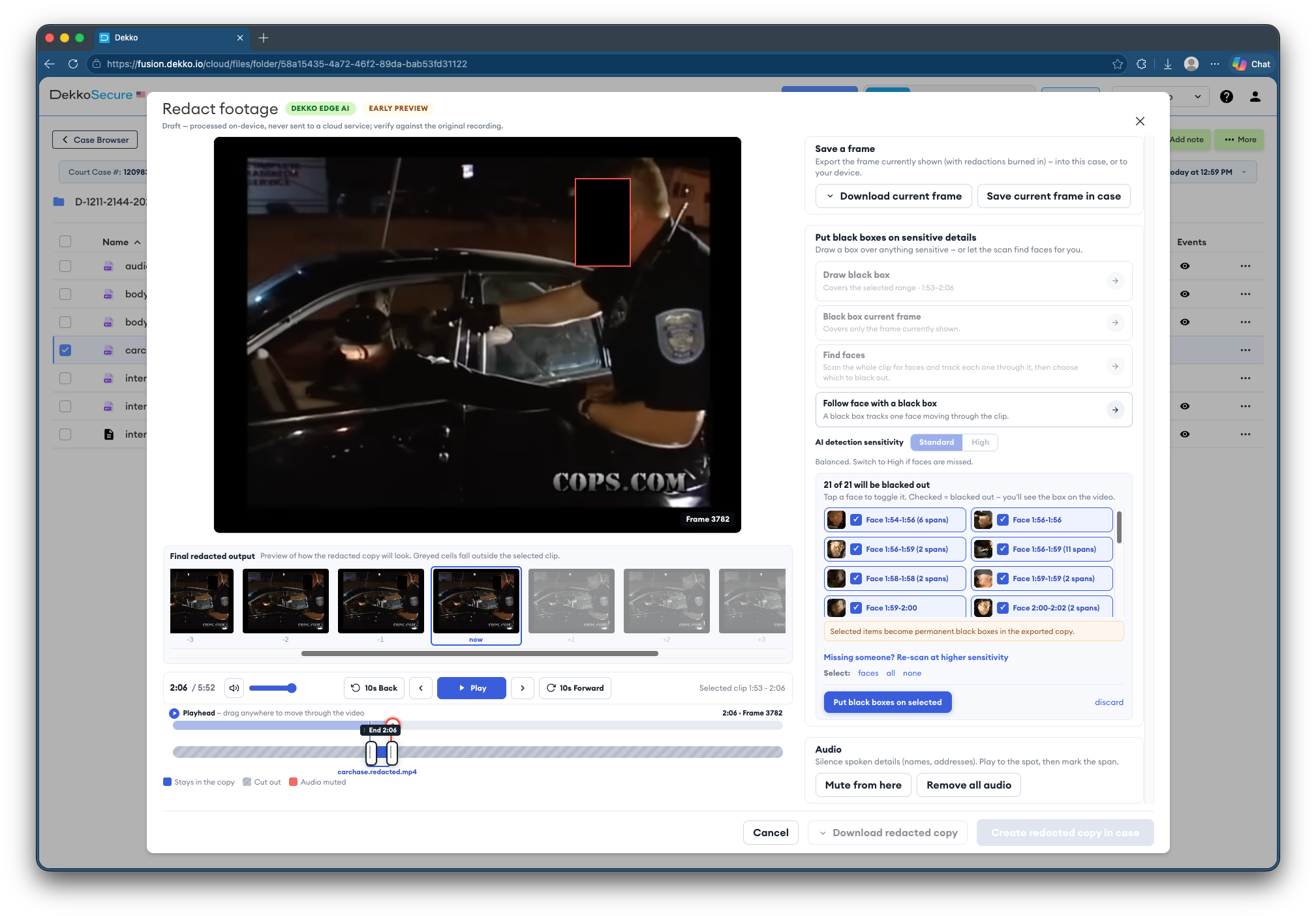
New ✨: Video redaction
Manual and automated video redaction can now be applied to new and existing MP4 video files! Redactions can be drawn manually (incl. frame-by-frame) or faces can be detected using the secure Dekko EdgeAI model.
June 24th, 2026
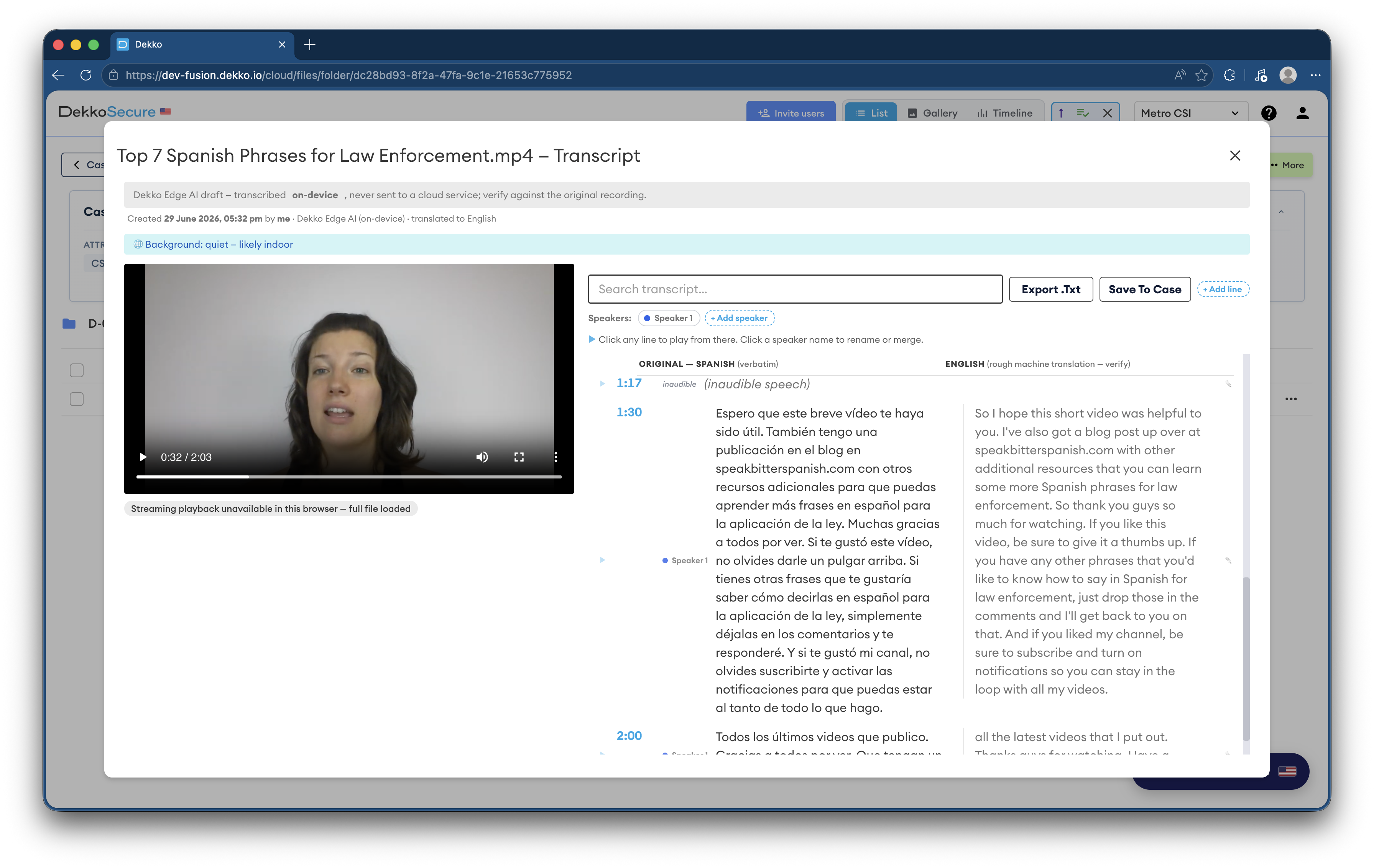
New ✨: Save transcript to case
MP4 and MP3 transcripts can now be saved to a case, alongside the existing feature of exporting as a text file.
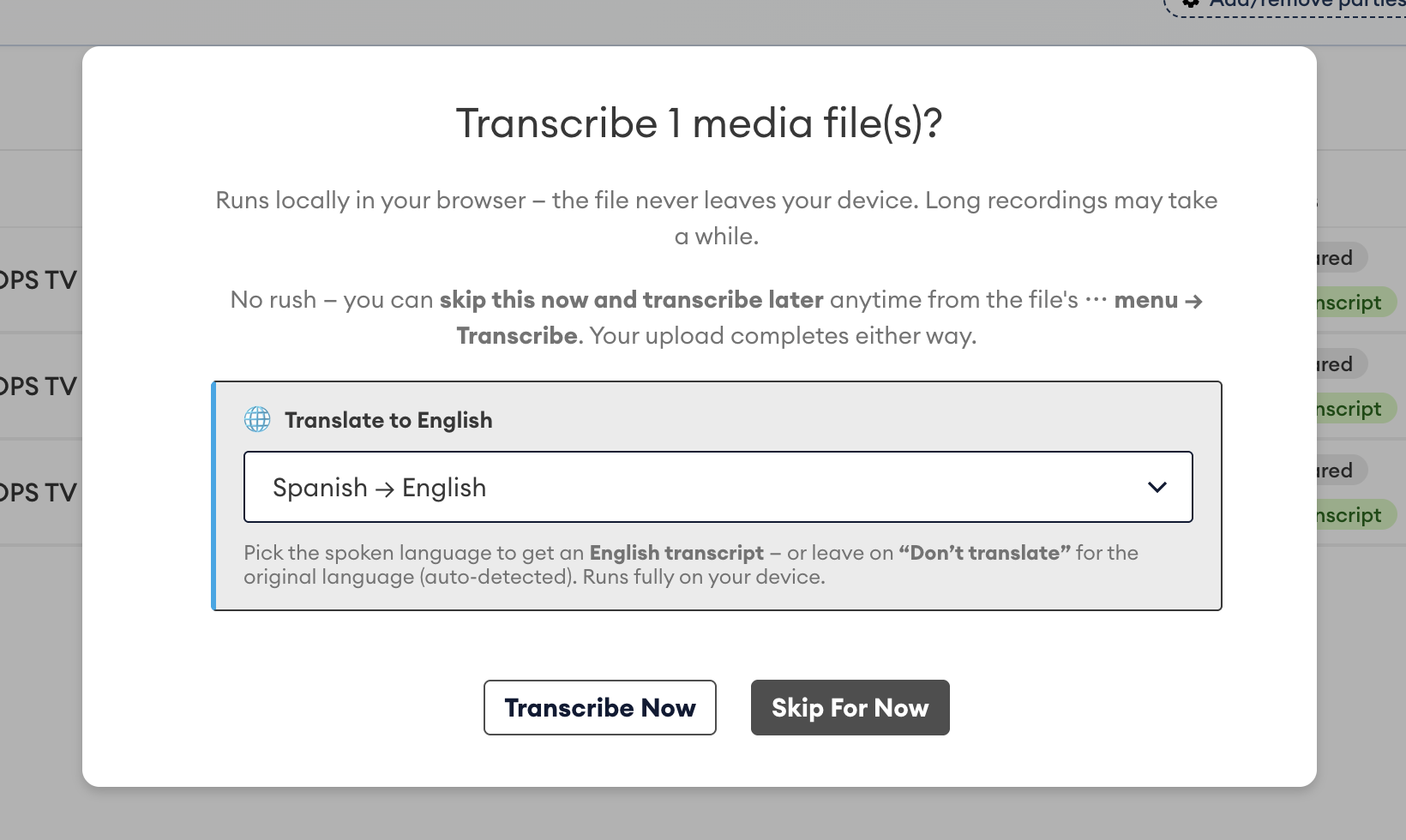
New ✨: Transcription with translation
The video and audio transcription prompt now includes the option for translation. 24 different language options are available.
June 10th, 2026
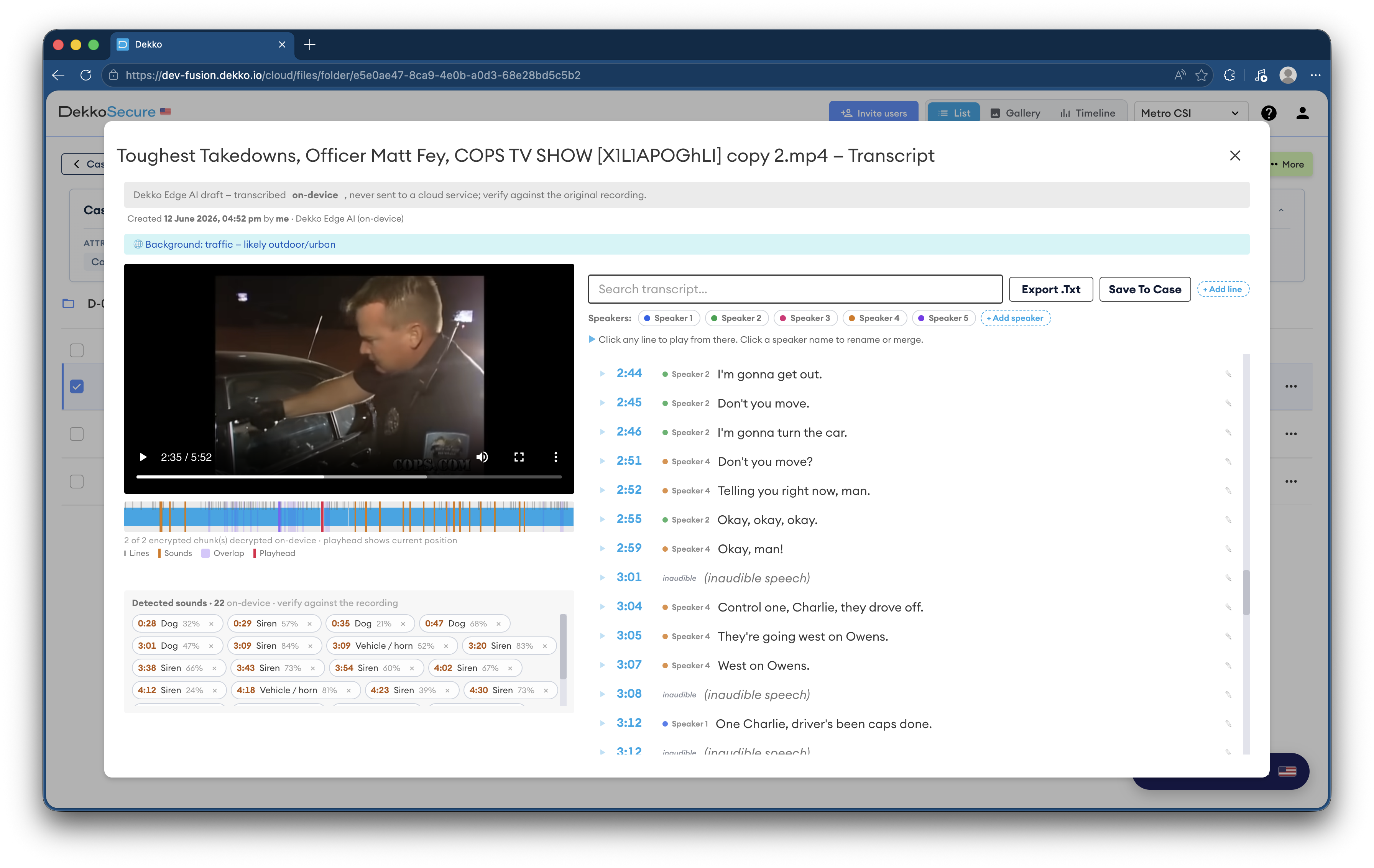
New ✨: Video and audio transcription
Audio and video uploads (for example MP4, MP3, WebM) will now show a prompt to transcribe content. Transcription utilised an AI model that runs on your device; the content of evidence and the transcript are stored encrypted and never exposed on the server. The transcription interface shows a timeline, detected sounds, and allows transcript editing with a full audit history.
May 24th, 2026
New ✨: Case data list and full case audit log export
The case summary now shows buttons to export a full list of the files uploaded to a case (including upload date, upload location, uploader and file notes if present) and also export a full case audit (including upload date, upload location, access events, sharing events, and uploader). Exports create a CSV file that is saved to your computer.

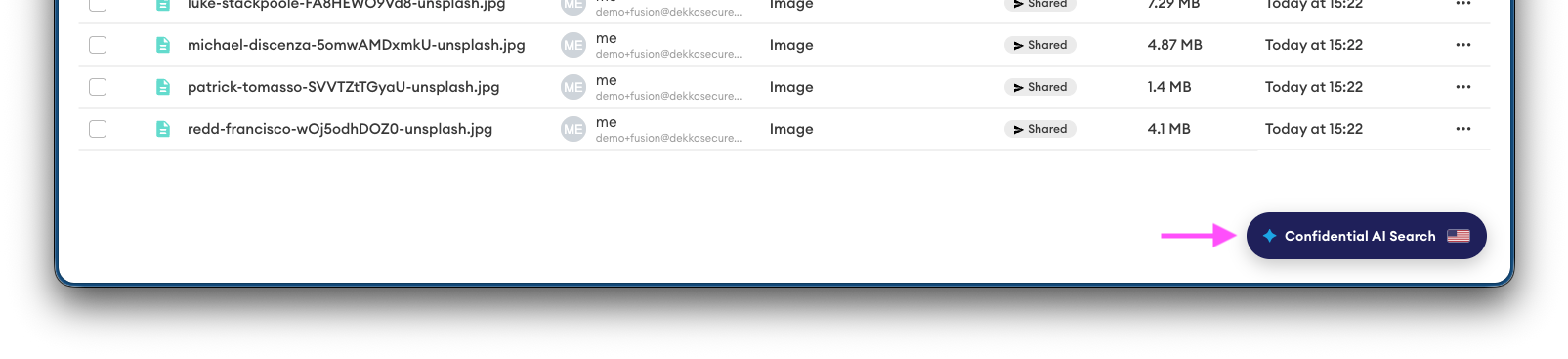
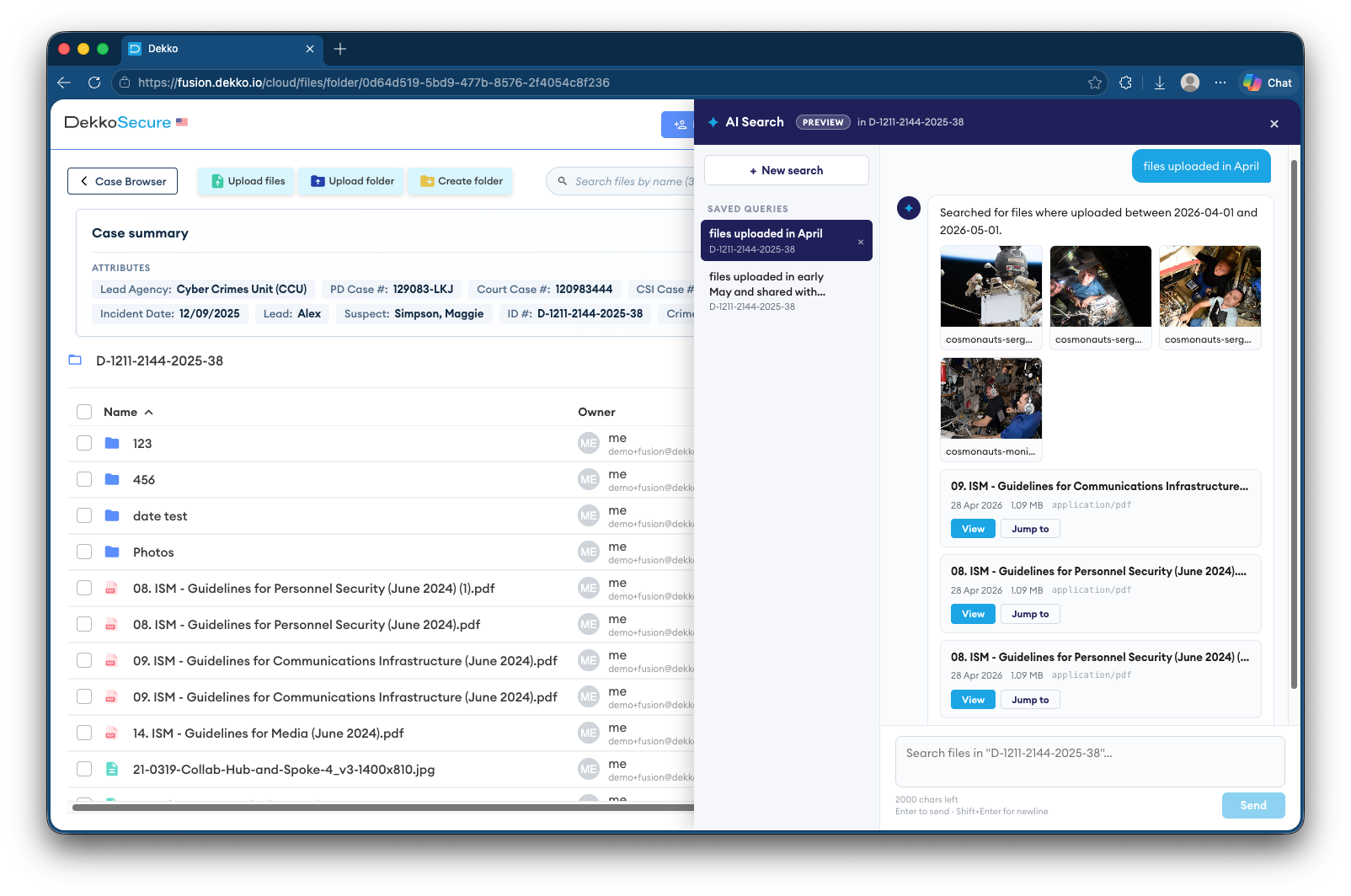
New ✨: AI-powered case search
Case content can now be queried using an AI-assisted natural language chat interface, enabling file discovery based on date, recipient, size, and more. Queries are confidential and only search the cases and files you have permission to access; everything is processed on your device while you’re logged in.
May 15th, 2026
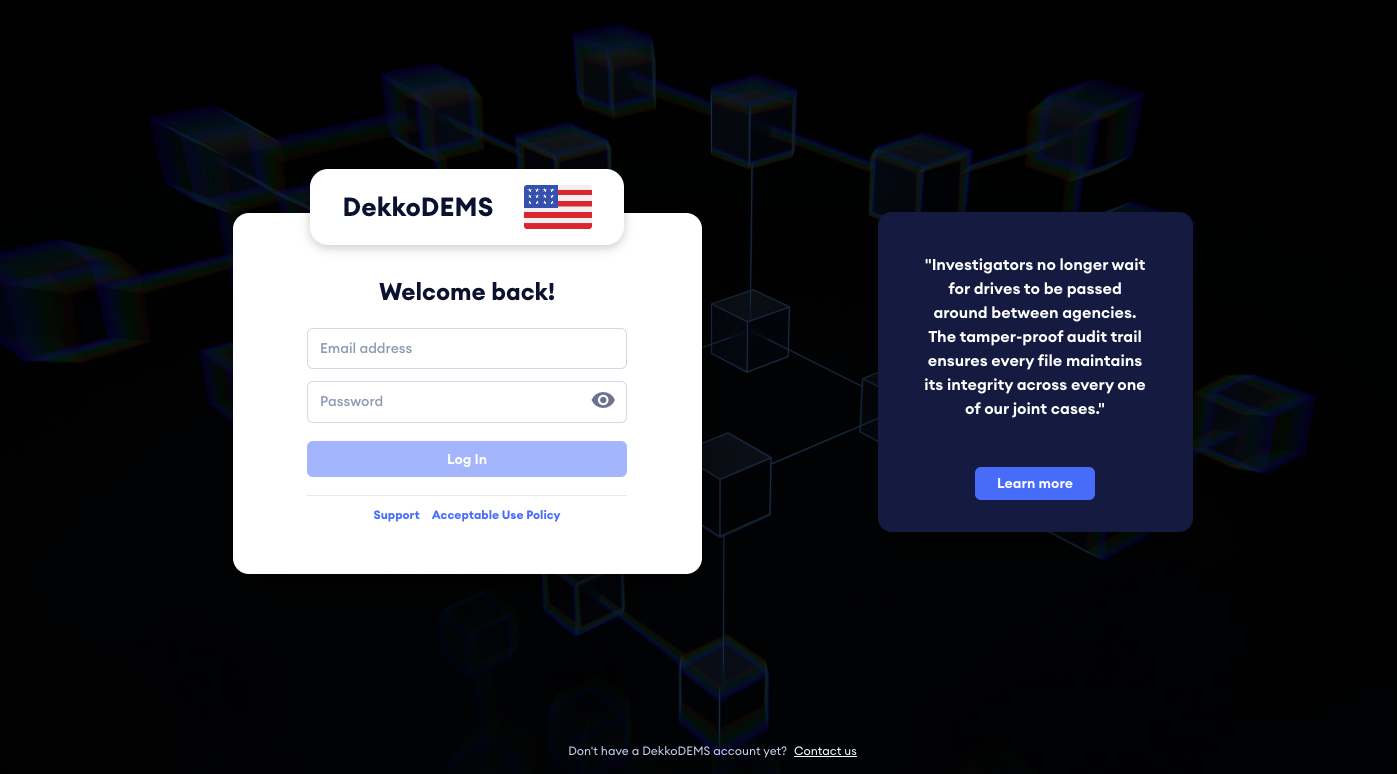
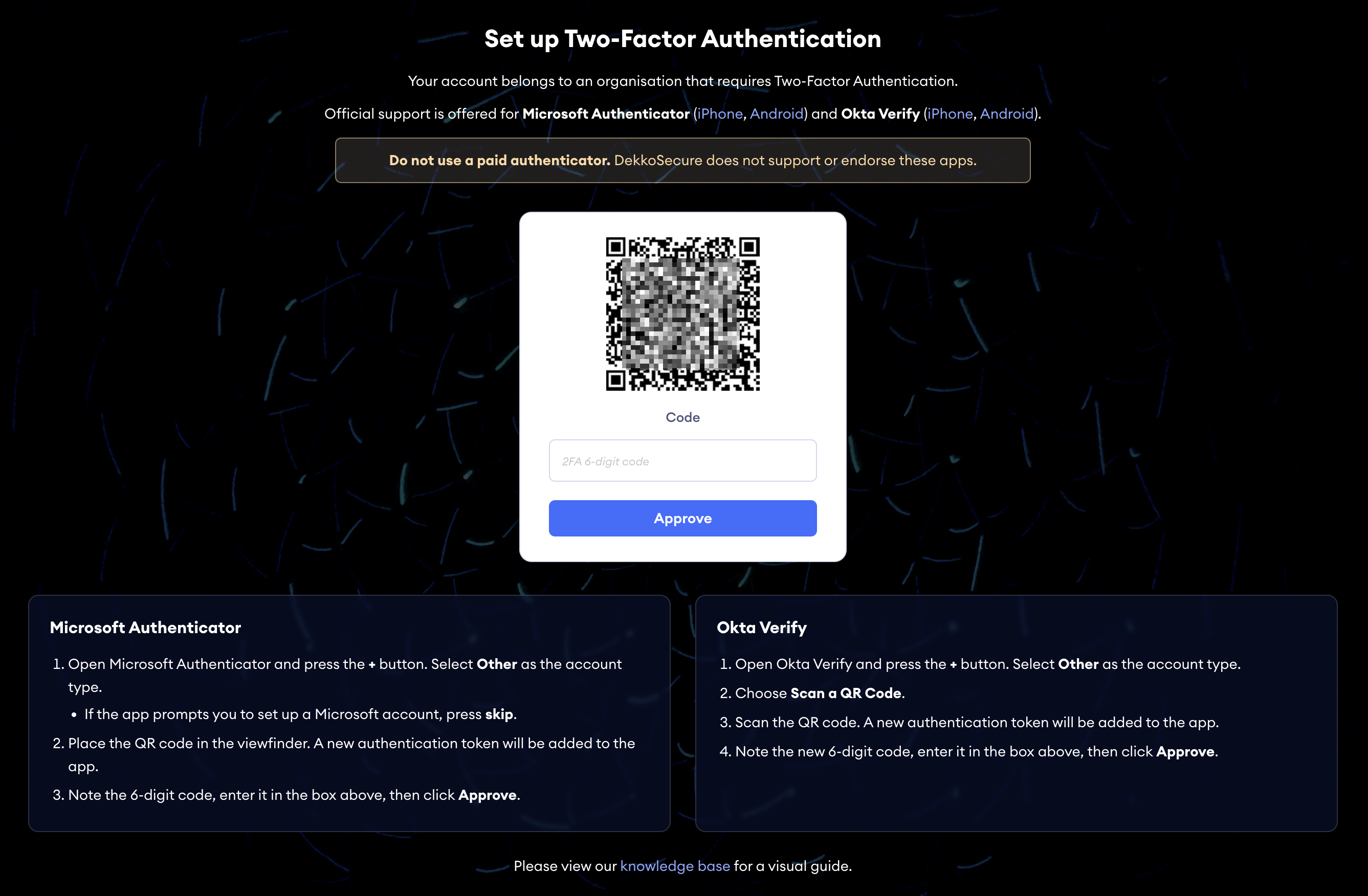
Updated ⚡️: Log in, registration and 2FA prompt pages
Account access, account creation and the 2FA set up page shown for Tenancies where 2FA is enforced have been refreshed.
Updated ⚡️: New case button and view profile selection location
The New case button and view profile bar have been moved from the case browser to the top of the interface, preserving valuable vertical screen real estate.

New ✨: Case notes
Case creators and shared users with Manager or Full permissions can now add notes to a case, visible to all users that the case is shared with.

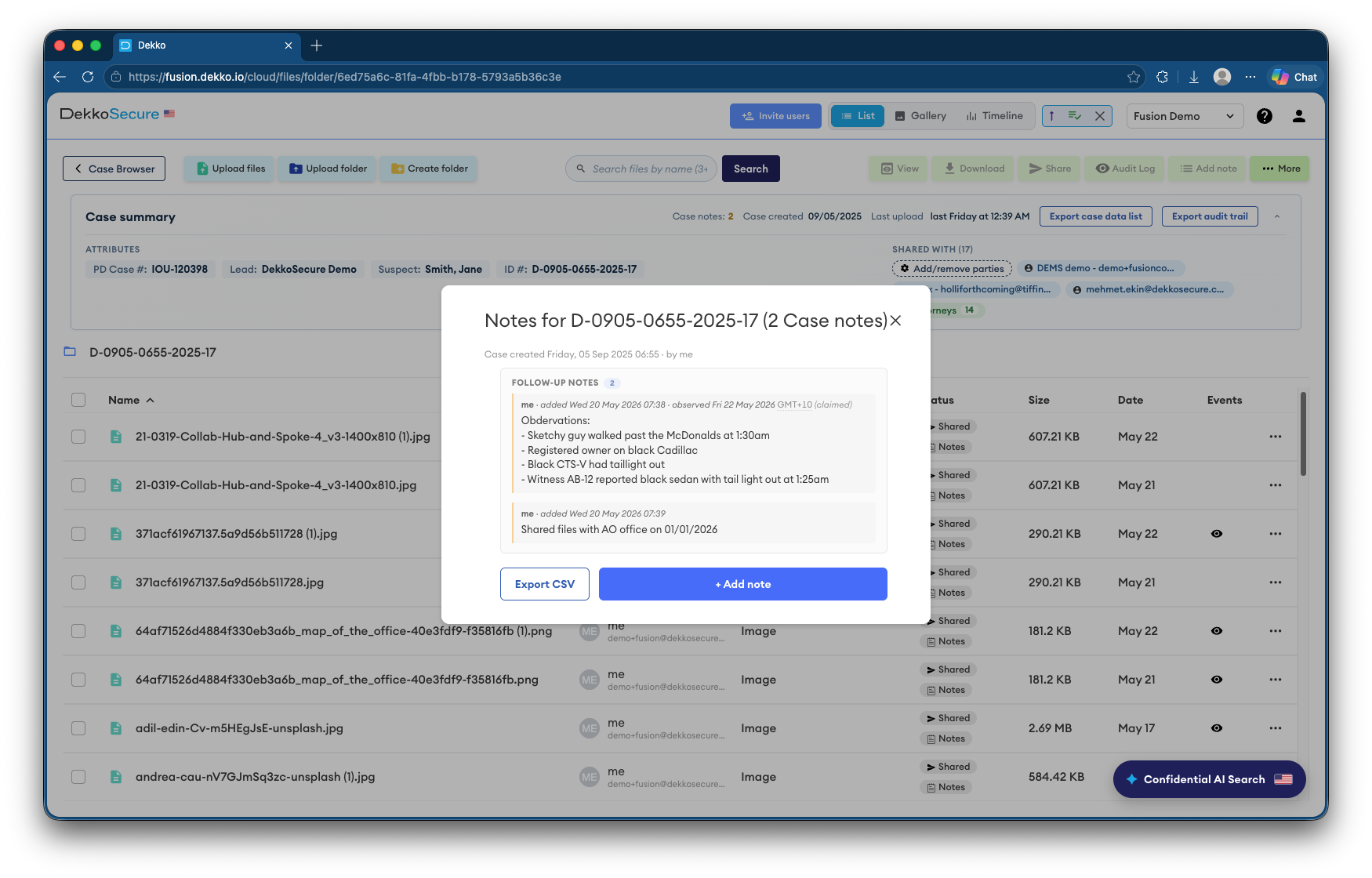
New ✨: Case summary
A collapsible case summary is now shown at the top of the screen when you open a case, showing:
- Case attributes
- Case notes (click to open)
- Shared parties (configurable for users with requisite permission)
- Case creation date and last upload date

New ✨: Upload context form
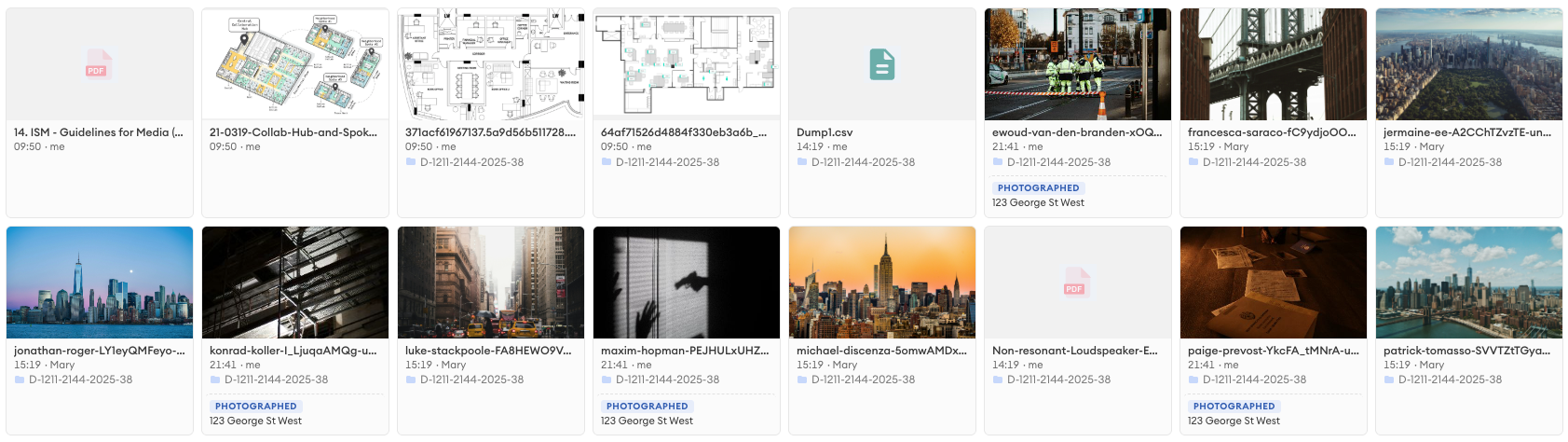
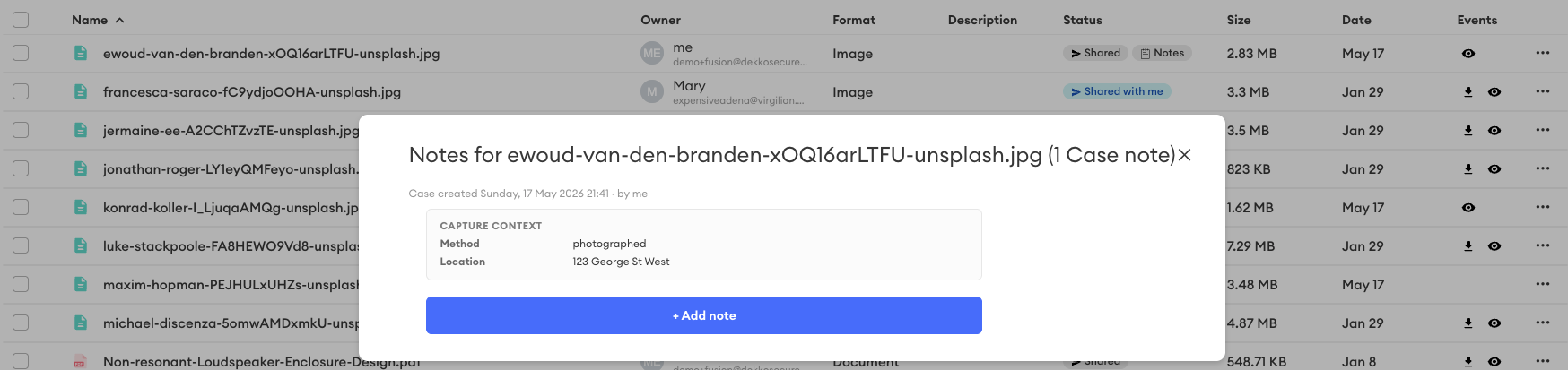
Uploads now include a form to add information about the files being added to a case.
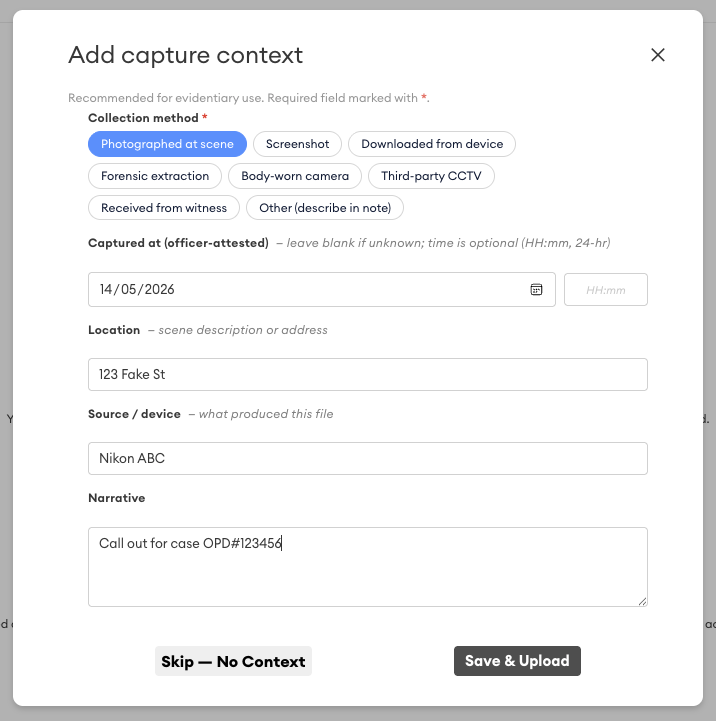
Upload context is displayed as a note against all files in an upload, and is accessible via the Notes tag in the list view, or shown in the file display in gallery view.
New ✨: Case file search
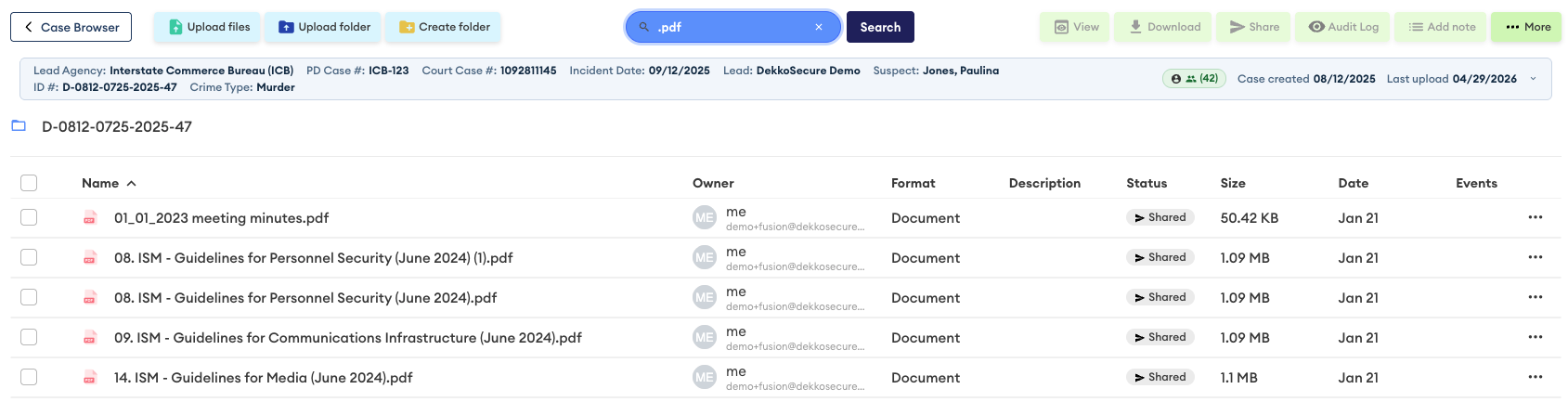
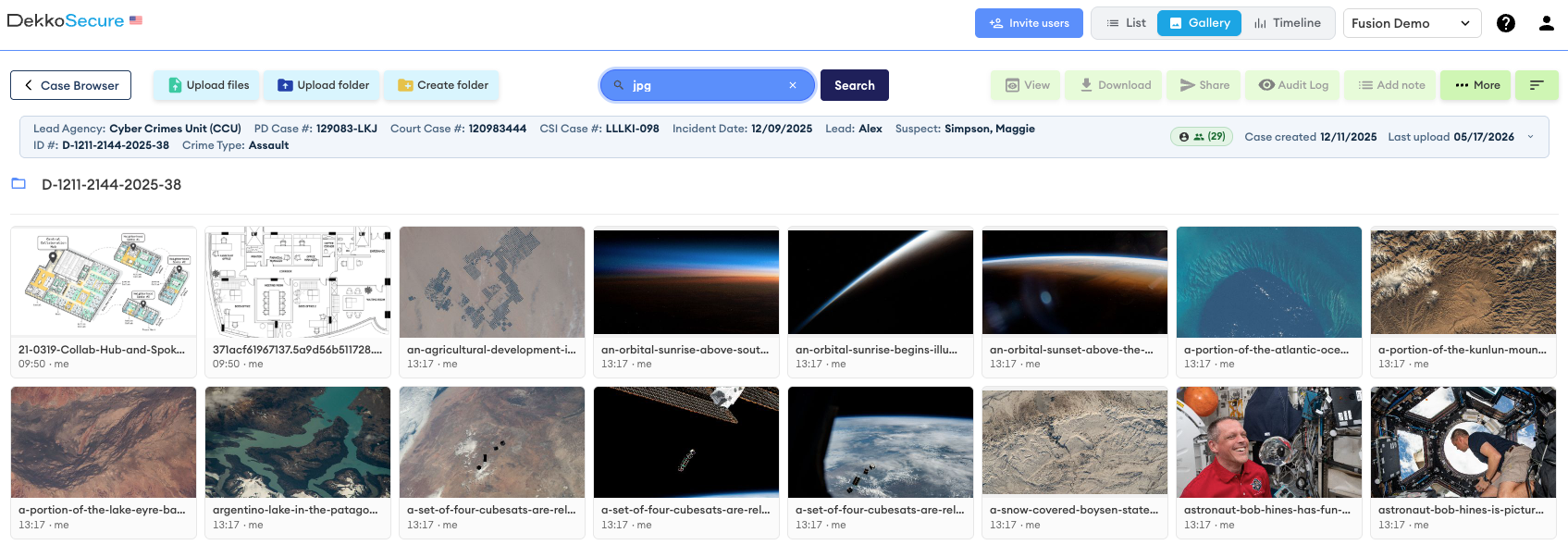
Finding files within a case, regardless of location (e.g., inside a sub-folder), is now made easy using the search bar displayed at the top of the list view and gallery view.
Updated ⚡️: Gallery view
The gallery view has been refreshed with an updated layout that includes the upload date and uploader.
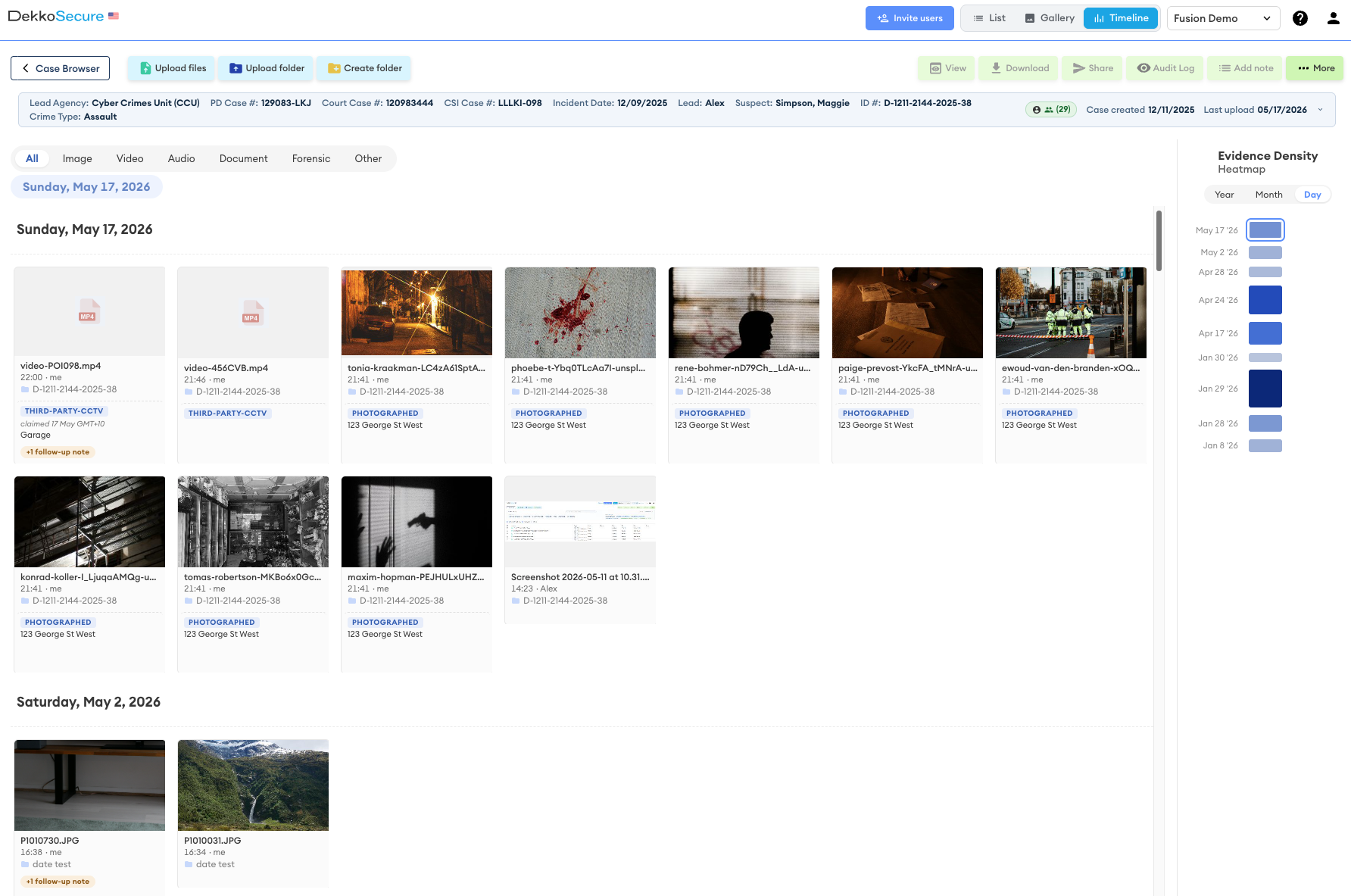
New ✨: Timeline view
Alongside list view and gallery view, a completely new evidence display option is now available - timeline view. This view displays all files in a case regardless of location, sorted by uploaded date (latest at the top). The Evidence Density section shows a year, date or day timeline with more uploads indicated by darker shading. Each date displayed in the chart can be clicked to jump to the period.
April 24th, 2026
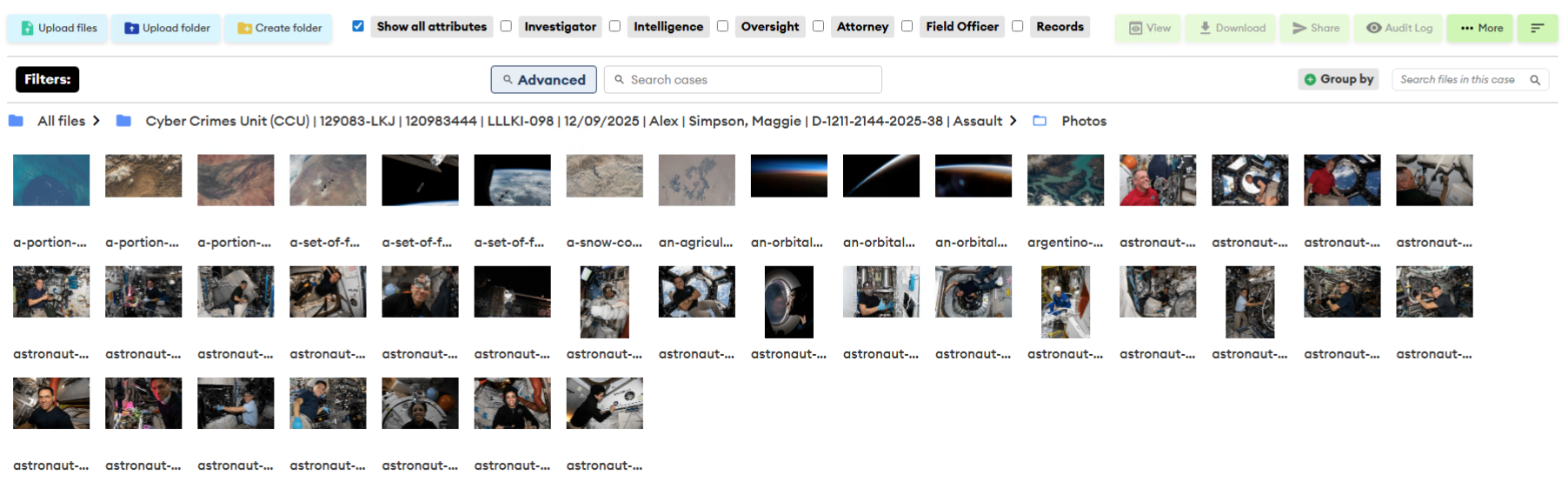
Updated ⚡️: Thumbnail creation for image uploads and 50+ image loading
The web application and DekkoDrive will now generate a thumbnail version of all uploaded images to accelerate browsing in the gallery view. Folders of more than 50 images also load “infinitely” as you scroll through a gallery.
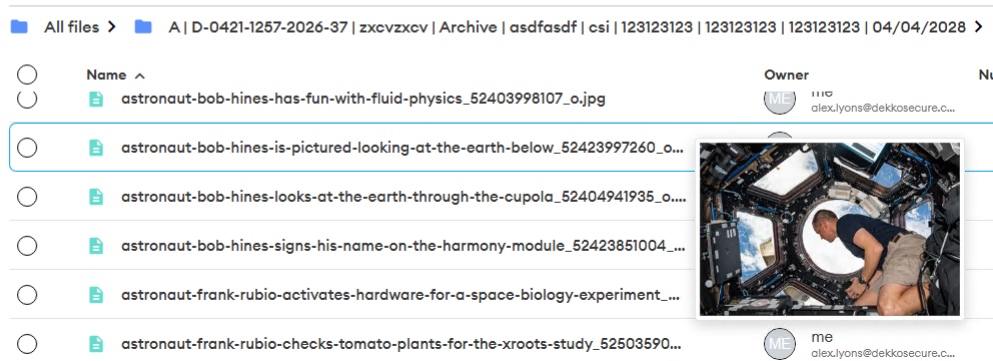
New ✨: Hover thumbnails
When you place your mouse cursor over a viewable image in the list view a thumbnail preview will be displayed.
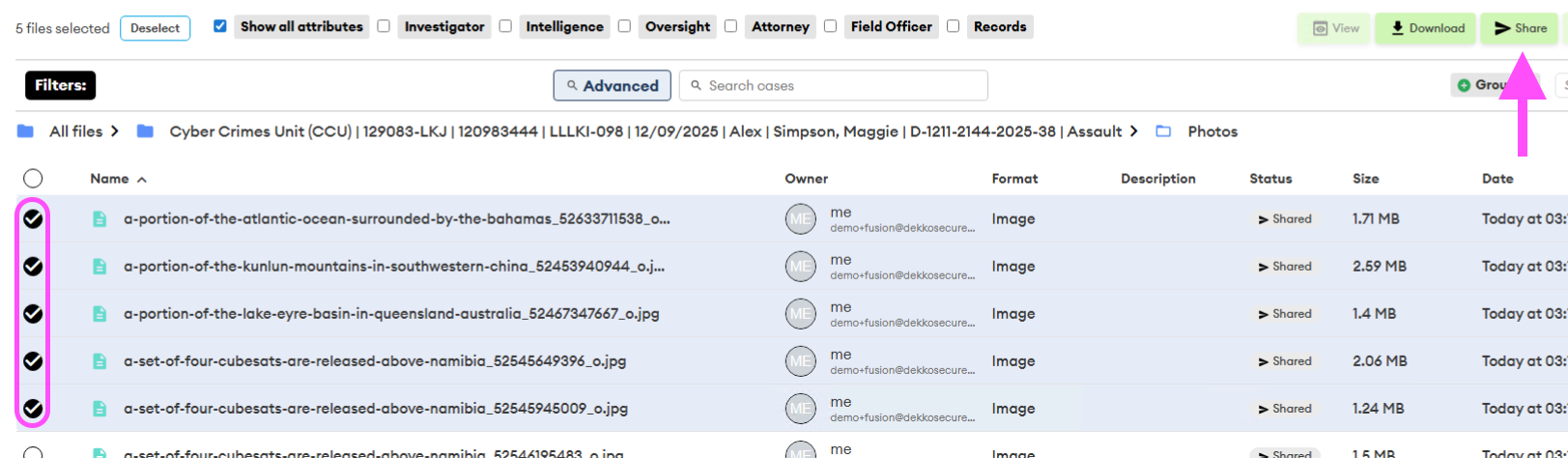
New ✨: File-level sharing configuration
Individual files and sets of files can now be shared separately to case- and folder-level sharing. Select the file(s) and then click the Share button to configure file-level sharing:
April 20th, 2026
New ✨: All attribute “basic” search
A search term effective across all attributes can now be entered via the “basic” search bar. Use the “Advanced” search to filter multiple attributes. Basic search is available on both the web application and on DekkoDrive!


January 21st, 2026
New ✨: Mobile-optimised UI
Navigation while logged in on your phone will now be much easier thanks to tweaks and simplification of the case browser interface!
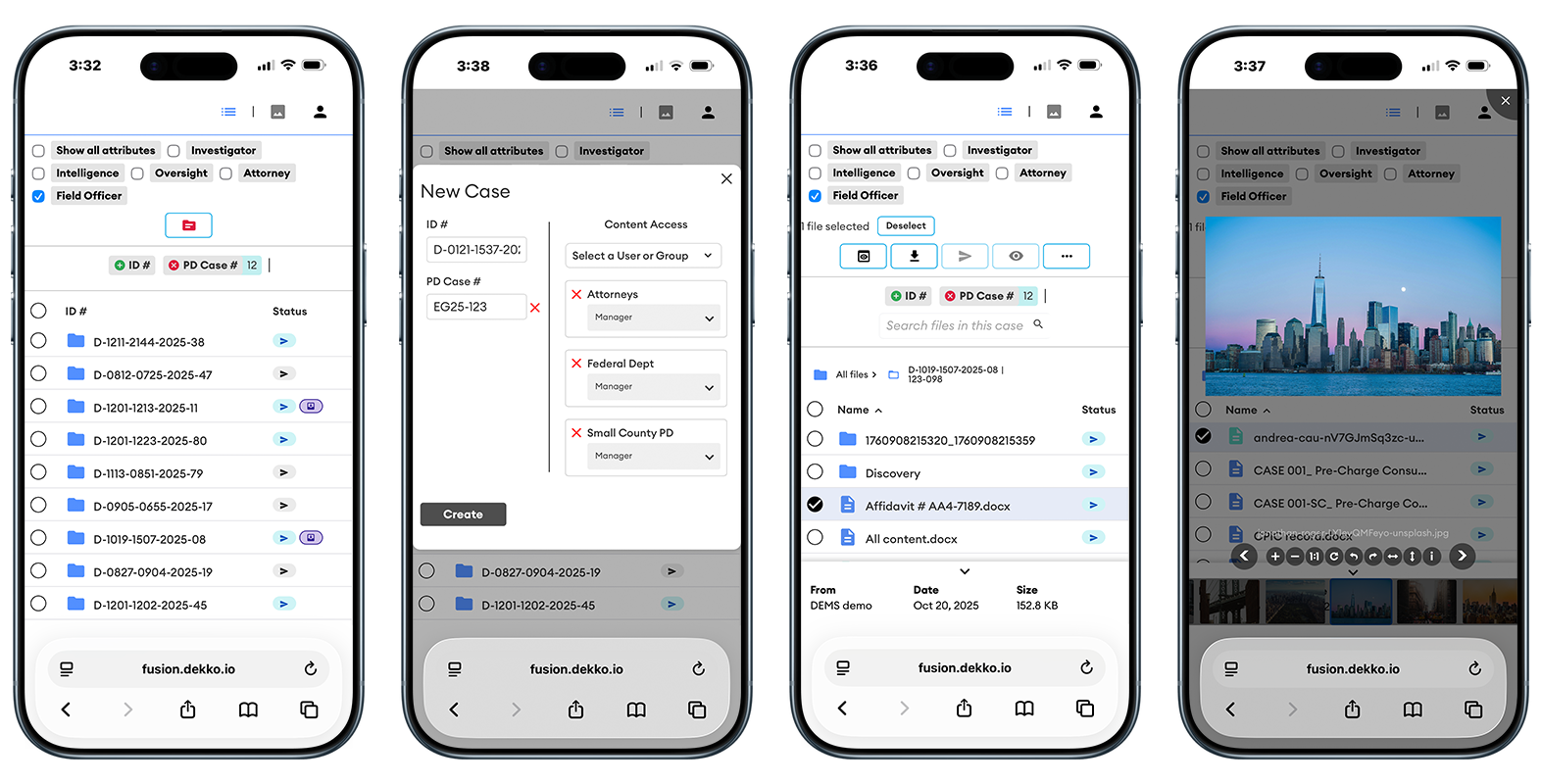
December 11th, 2025
Updated ⚡️: Case links in email notifications
New case alerts now include a link that will take you directly to the case folder from your email inbox:
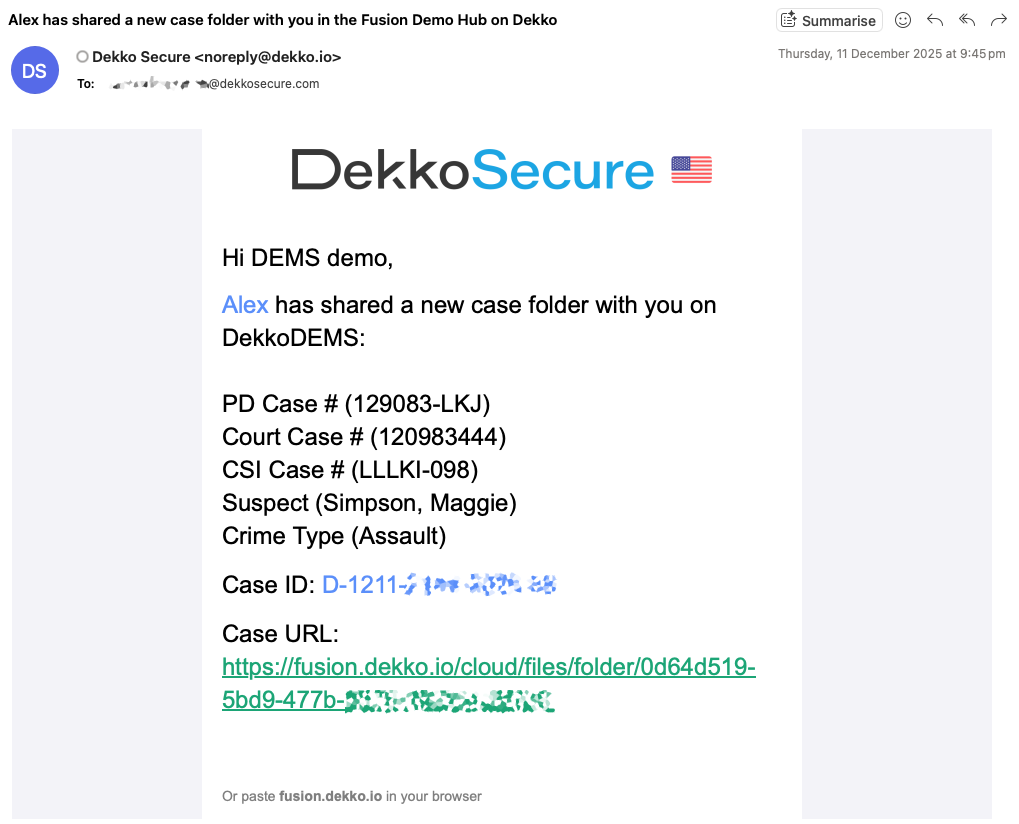
October 20th, 2025
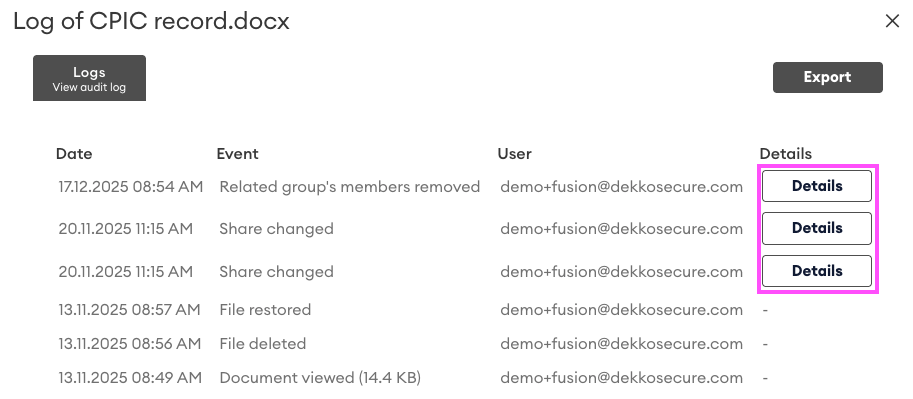
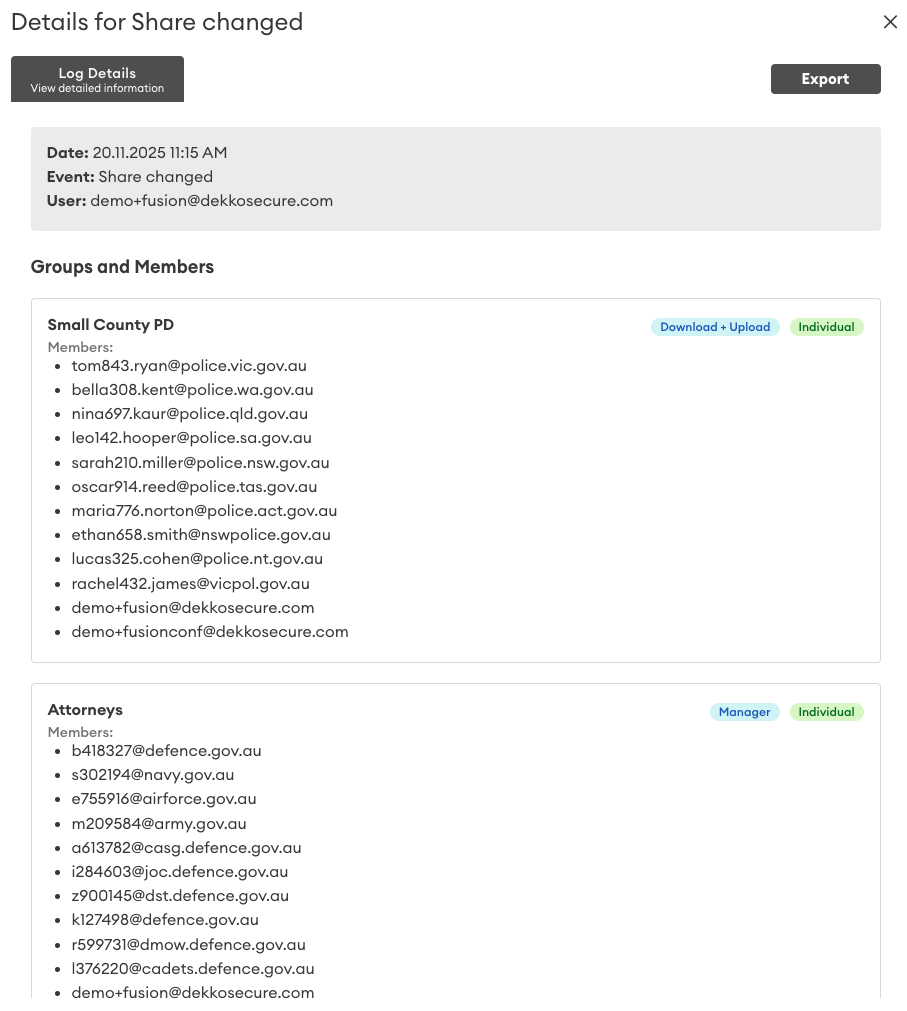
New ✨: Sharing permissions in audit logs
The summary of permissions for receiving parties on a file are now included in audit logs, accessible via the Details button:
August 7th, 2025
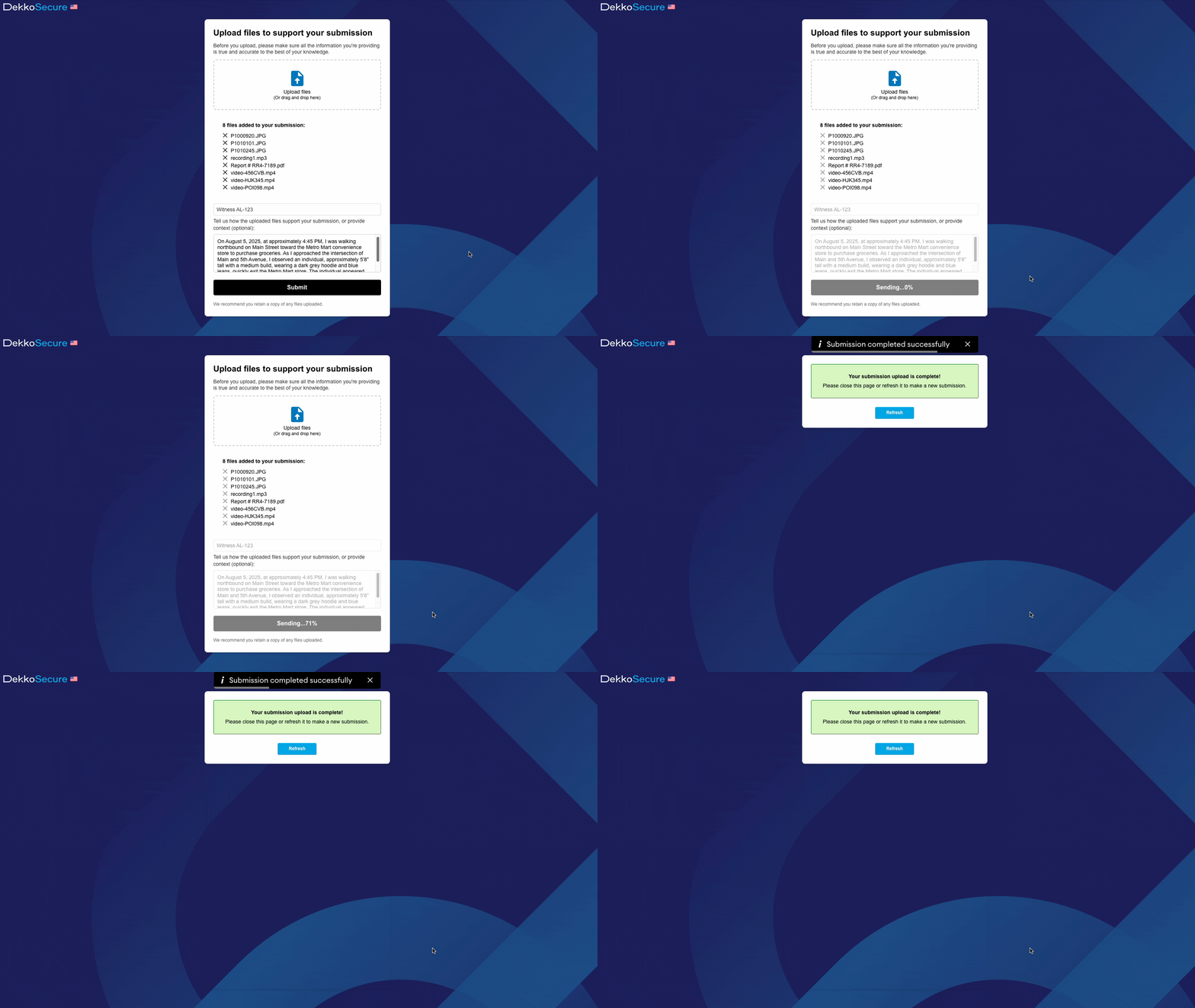
New ✨: Public Submissions
The Public Submissions feature allows unregistered users to upload content with accompanying text to a folder. The Public Submission interface allows a submitter to add files and a message to the submission: