Case Audit
How to access and export case audit information.
File-level audit
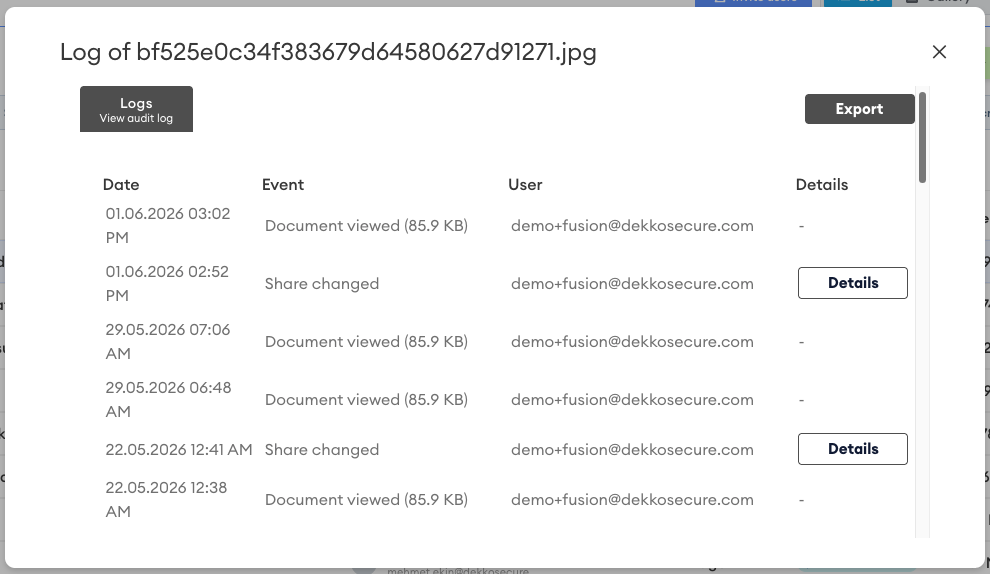
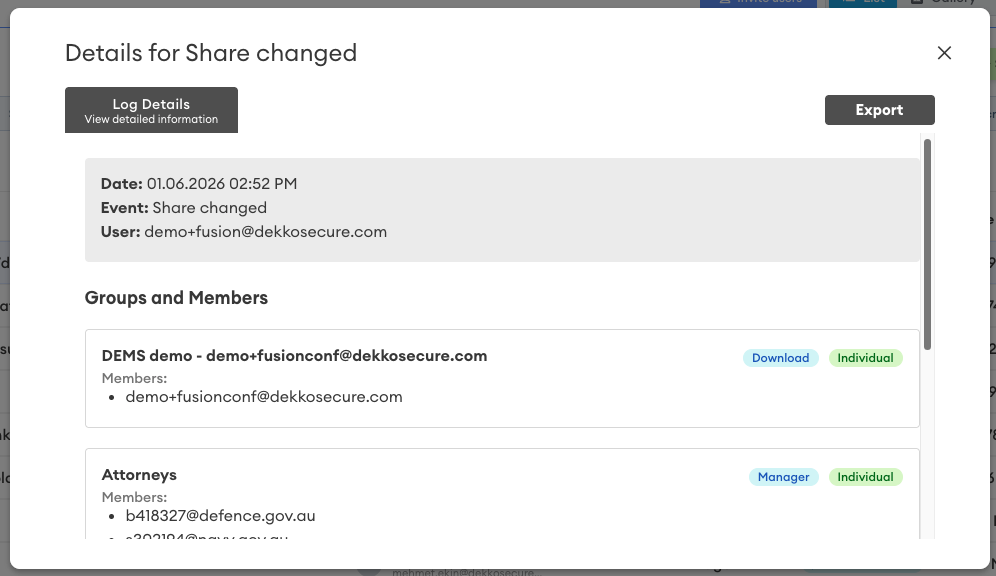
The file-level audit shows a list of all actions and events that have taken place relevant to that file, detailing:
- Date (when the event took place)
- Event (Uploads, shares, views, downloads, moves and deletes)
- User (the user that actioned the event)
- Details (granular information about sharing updates)
To review the audit log for a file, select it and then click on Audit Log:

Example of a file-level audit:
File-level audit can be exported by clicking the Export button when the file-level audit report window is open.
Whole case audit
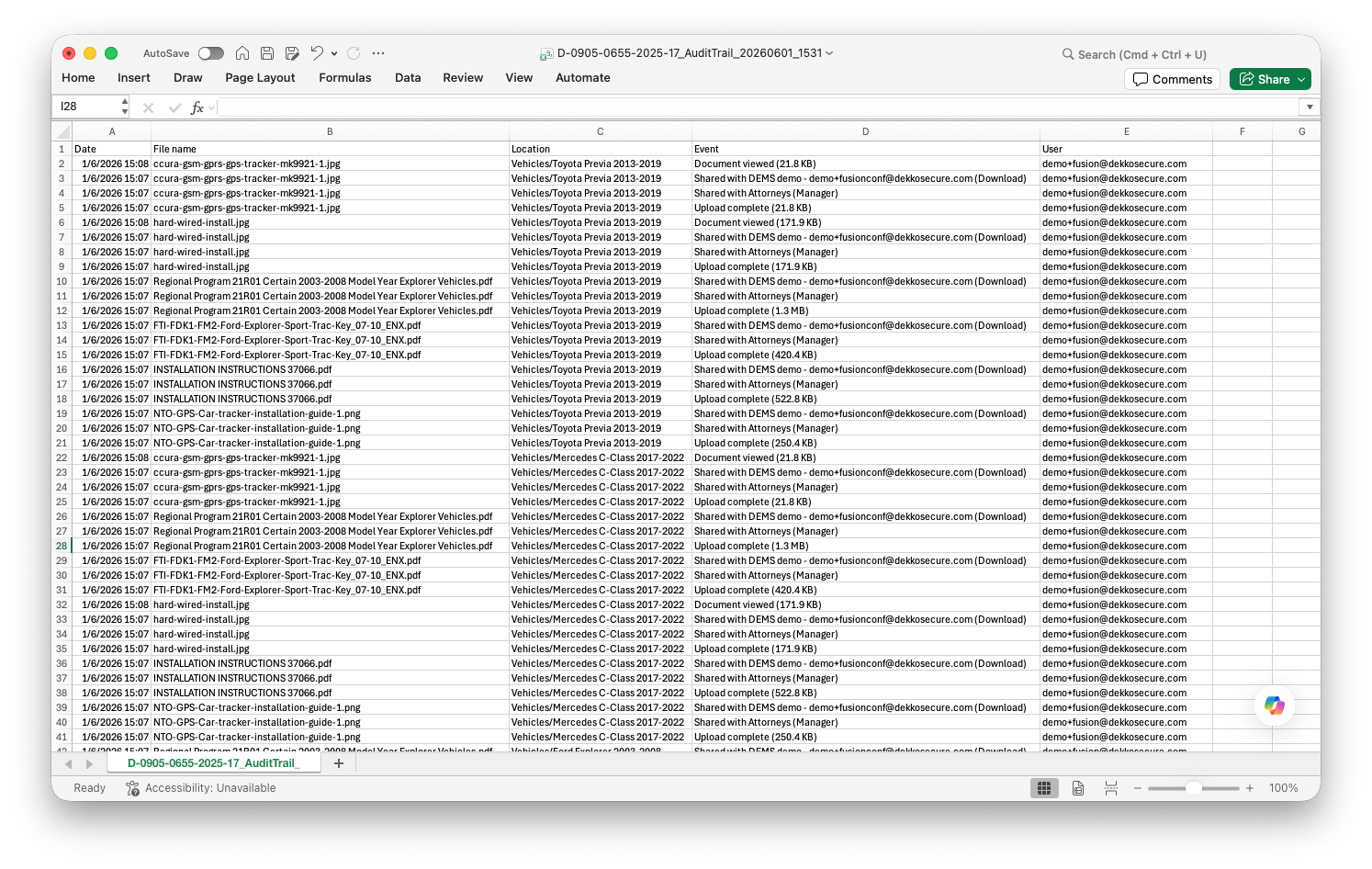
The audit trail export creates a CSV file of all actions and events that have taken place in the case, detailing:
- Date (when the event took place)
- File name
- Location (the containing folder)
- Event (Uploads, shares, views, downloads, moves and deletes)
- User (the user that actioned the event)
To create a case audit trail export file, click on the Export case audit button in the case summary:

Note: busy cases will contain thousands or even hundreds of thousands of events. Please be patient while the audit trail export completes!
Case audit trail export CSV example:
Case data list
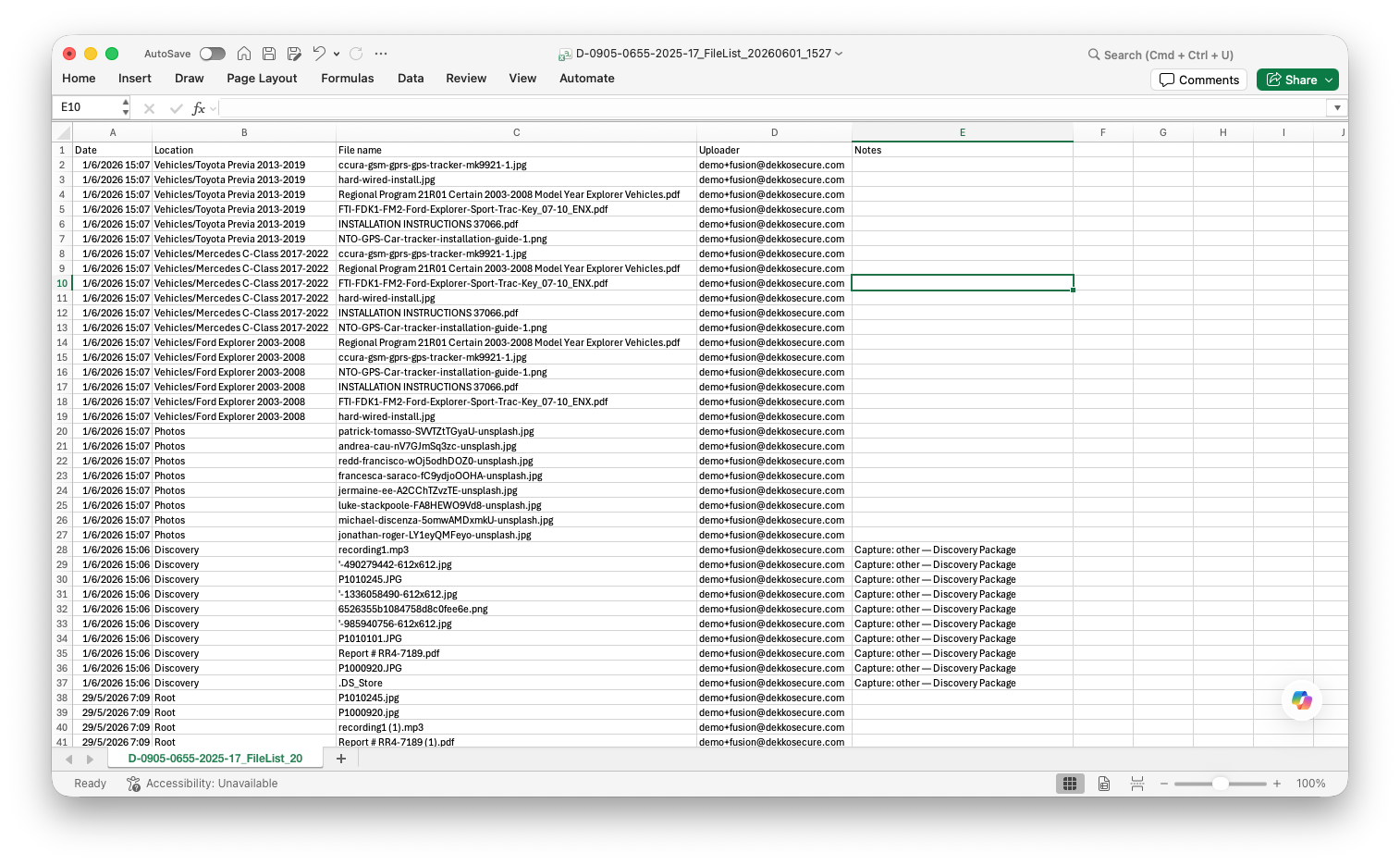
The case data list export creates a CSV file of all files uploaded to the case, detailing:
- Date (upload date)
- Location (containing folder)
- File name
- Uploader
- Notes (if added to the upload)
To create a case data list export file, click on the Export case data list button in the case summary:

Case data list export CSV example: