

Moving and Copying Content
How to move or copy files and folders between cases within the DekkoDEMS.
Move content between cases
Before moving content: note the case ID# of the target case folder to move content to (e.g., D-1234-5678-9012-34).
- Select the content you want to move
- Click on the ⋯ More dropdown
- Select the Move option

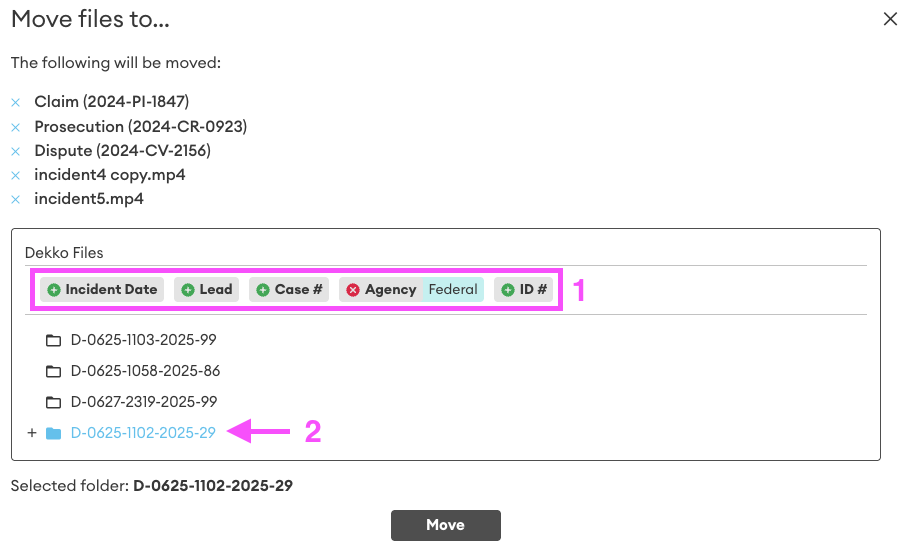
- Use the basic or advanced search to display target cases. Select the appropriate case folder to move the content to (you can move content to subfolders using the + button), then click Move.
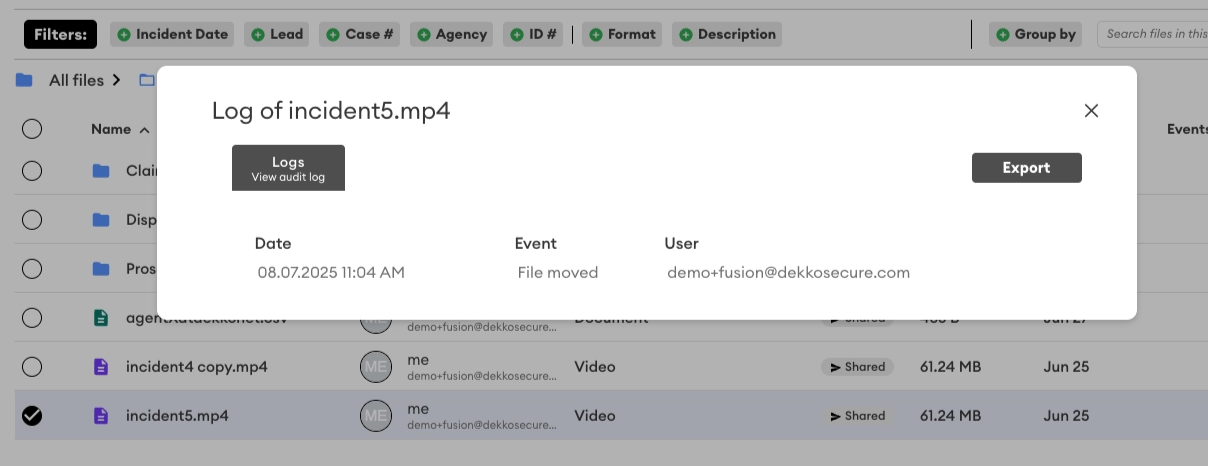
- After content is moved, the move action will appear in the audit log for each moved file:
Copying content between cases
Before copying content: note the case ID# of the target case folder to copy content to (e.g., D-1234-5678-9012-34).
- Select the content you want to copy
- Click on the ⋯ More dropdown
- Select the Copy option

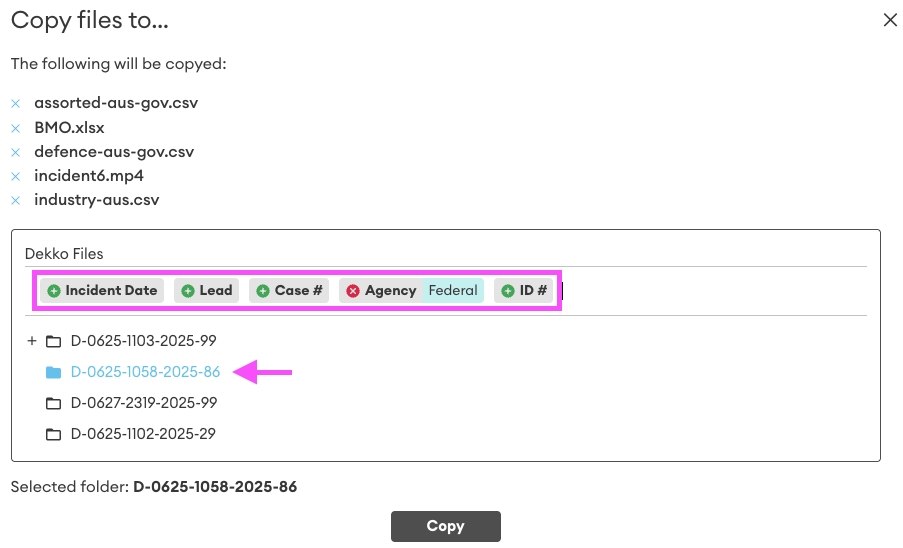
- Use the basic or advanced search to display target cases. Select the appropriate case folder to copy the content to (you can copy content to subfolders using the + button), then click Copy.
Was this article helpful?
Didn't find what you need?Ask the AI assistant about this topic, or contact support.
Request support